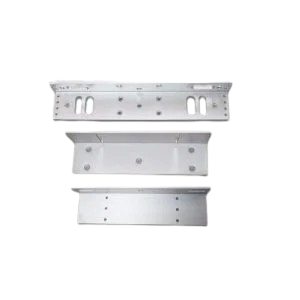
Face Plate (LxWxH) : 205 x 35 x 40 mm , Strike Plate (LxWxH) : 90 x 25 x 2 mm , Cover Plate (LxWxH) : 215 x 40 x 0.7 mm , Current Draw : (Start) 950 mA , (Standby) 120 mA
Specifications
Technical Specification
Face Plate (LxWxH) : 205 x 35 x 40 mm
Strike Plate (LxWxH) : 90 x 25 x 2 mm
Cover Plate (LxWxH) : 215 x 40 x 0.7 mm
Current Draw : (Start) 950 mA , (Standby) 120 mA
Dual Voltage : DC 12 V
Bolt : 16 mm Diameter , 16 mm Stainless Steel
Net Weight : 0.8 kg
Holding Capacity : 600 lbs
Operating Temperature : 10° C - 55° C
LED Magnetic bond sensor
Net Weight : 0.64 kg
Gross Weight : 0.80 kg
How to Setup ESSL Biometric
Follow these Steps for Configuration
Step 1 : Change Server Address
Location: *Main Menu >> Comm. >> Cloud Server Settings* Enable Domain Address: True (ON) Server Address: essl.ndgms.com:86 Enable Proxy Server: False (OFF) HTTPS: False *(OFF) Note: Please Share Photo of the screen when settings done.*
Step 2 : Check DHCP Setting
Location: Main Menu >> Comm. >> Ethernet/Wireless Network DHCP: *True (ON) Note: Please Share Photo of the screen when settings done.*
Step 3 : Share Device/Cloud ID
Location: Main Menu >> System Info/About >> Device Info >> Device ID Note: Please Share Photo of the screen.*