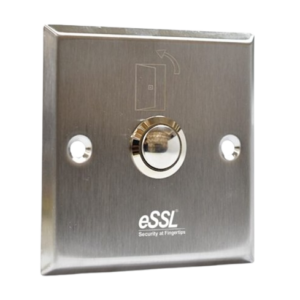
ESSL PUSH-9-SQ Price - Rs. 350Category - EMLocks and ButtonsFeatures - Dimension(in mm): 86 x 86 mm,Weight: 0.1kg,Current:3A@36VDC Max Specifications Technical SpecificationDimension(in mm): 86 x 86 mmWeight: 0.1kgCurrent:3A@36VDC MaxxStandard Structure : Stainless Steel Panel, Steel ButtonOutput Contact: NO/COMPanel Material: 304 Stainless SteelWire Drawing Finished Contact : NO/COMOperating Temperature : 10˚C ‐55˚C How to Setup ESSL BiometricFollow these Steps for Configuration Step 1 : Change Server AddressLocation: *Main Menu >> Comm. >> Cloud Server Settings*Enable Domain Address: True (ON)Server Address: essl.ndgms.com:86Enable Proxy Server: False (OFF)HTTPS: False *(OFF)Note: Please Share Photo of the screen when settings done.* Step 2 : Check DHCP SettingLocation: Main Menu >> Comm. >> Ethernet/Wireless NetworkDHCP: *True (ON)Note: Please Share Photo of the screen when settings done.* Step 3 : Share Device/Cloud IDLocation: Main Menu >> System Info/About >> Device Info >> Device IDNote: Please Share Photo of the screen.* Setup TutorialWatch Video Tutorial Here See Video